官网:https://sentinelguard.io/zh-cn/docs/open-source-framework-integrations.html
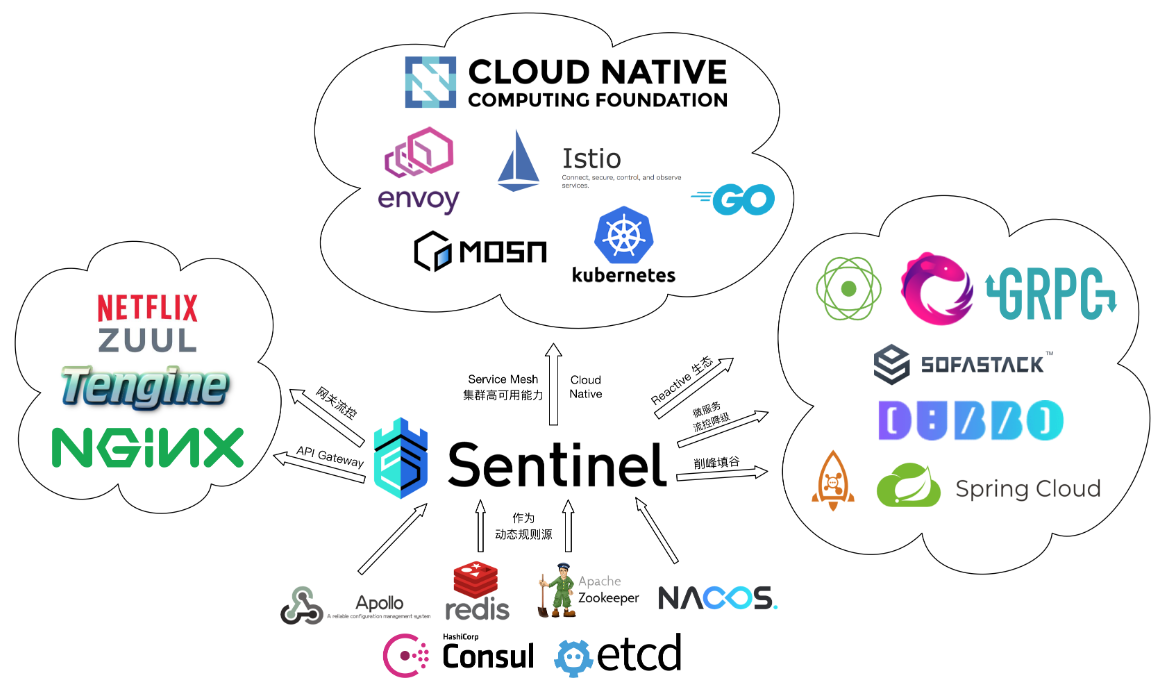
1 开源生态
https://github.com/alibaba/Sentinel/wiki/Roadmap
2 适配RestTemplate
https://github.com/alibaba/spring-cloud-alibaba/wiki/Sentinel#resttemplate-%E6%94%AF%E6%8C%81
(1)创建RestTemplate的Bean,并添加@SentinelRestTemplate注解
1
2
3
4
5
| @Bean
@SentinelRestTemplate
public RestTemplate restTemplateSentinel(){
return new RestTemplate();
}
|
(2)开启Sentinel对RestTemplate的支持
1
2
3
| resttemplate:
sentinel:
enabled: true
|
(3)在UserController中定义RestTemplate访问的资源
1
2
3
4
5
6
7
| @Resource
private RestTemplate restTemplateSentinel;
@RequestMapping("/resttemplate-sentinel")
public String restTemplateSentinel(){
return this.restTemplate.getForObject("http://localhost:9091/order/query",String.class);
}
|
(3)重启Spring Boot项目,访问:http://localhost:8081/flow/resttemplate-sentine
(4)在sentinel dashboard上设置流控规则
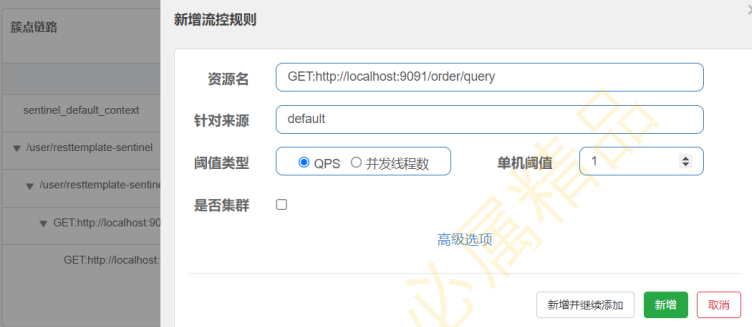
(5)访问:http://localhost:8081/user/resttemplate-sentinel,测试restTemplate的流控效果
(6)核心源码,使用拦截器。RestTemplate发起请求:SentinelProtectInterceptor#intercept
3 适配OpenFeign
https://github.com/alibaba/spring-cloud-alibaba/wiki/Sentinel#feign-%E6%94%AF%E6%8C%81
(1)引入starter-feign依赖
1
2
3
4
| <dependency>
<groupId>org.springframework.cloud</groupId>
<artifactId>spring-cloud-starter-openfeign</artifactId>
</dependency>
|
(2)开启Sentinel对OpenFeign的支持
1
2
3
| feign:
sentinel:
enabled: true
|
(4)定义OpenFeign接口
1
2
3
4
5
| @FeignClient(name = "order")
public interface OrderFeignClient {
@RequestMapping("/order/query")
String query();
}
|
(5)在UserController中定义OpenFeign访问的资源
1
2
3
4
5
6
7
| @Resource
private OrderFeignClient orderFeignClient;
@RequestMapping("/openfeign-sentinel")
public String openFeignSentinel(){
return this.orderFeignClient.query();
}
|
(6)重启Spring Boot项目,访问:http://localhost:8081/user/openfeign-sentinel
(7)在sentinel dashboard上设置流控规则
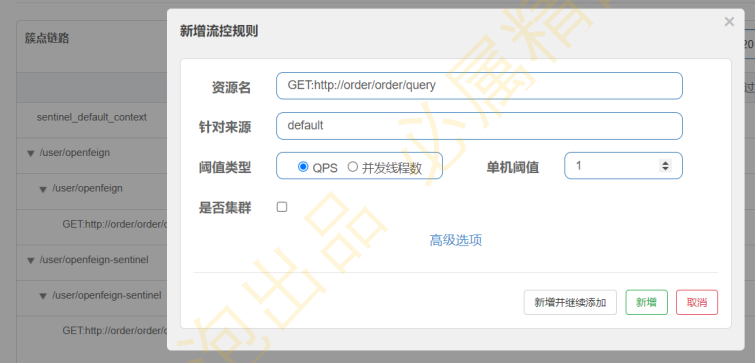
(8)访问:http://localhost:8081/user/openfeign-sentinel,测试OpenFeign的流控效果
(9)处理异常,定义异常处理类
1
2
3
4
5
6
7
| @Component
public class OrderFeignClientFallback implements OrderFeignClient{
@Override
public String query() {
return "流控或降级了...";
}
}
|
在OrderFeignClient的注解@FeignClient上添加属性
1
2
3
4
5
| @FeignClient(name = "order",fallback = OrderFeignClientFallback.class)
public interface OrderFeignClient {
@RequestMapping("/order/query")
String query();
}
|
(10)核心源码,代理类: SentinelInvocationHandler#invoke
4 适配网关Gateway
https://github.com/alibaba/Sentinel/wiki/%E7%BD%91%E5%85%B3%E9%99%90%E6%B5%81
(1)重新编辑sentinel dashboard启动命令,使其支持网关配置
1
| -Dcsp.sentinel.app.type=1 -Dcsp.sentinel.dashboard.server=localhost:8080 -Dproject.name=sentinel-dashboard
|
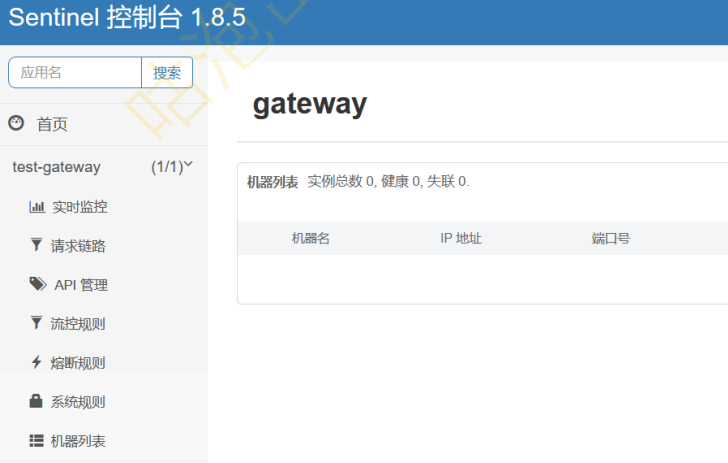
(2)引入依赖
1
2
3
4
5
6
7
8
9
10
|
<dependency>
<groupId>com.alibaba.cloud</groupId>
<artifactId>spring-cloud-starter-alibaba-sentinel</artifactId>
</dependency>
<dependency>
<groupId>com.alibaba.cloud</groupId>
<artifactId>spring-cloud-alibaba-sentinel-gateway</artifactId>
</dependency>
|
(3)写配置
1
2
3
4
5
6
7
8
9
10
11
12
13
14
15
16
17
18
19
20
21
22
23
24
25
26
27
| server:
port: 8090
spring:
application:
name: gateway
cloud:
nacos:
discovery:
server-addr: localhost:8848
sentinel:
transport:
dashboard: localhost:8080
gateway:
routes:
- id: jack_path_route
uri: lb://order
predicates:
- Path=/jack/**
filters:
- StripPrefix=1
logging:
level:
reactor.netty: debug
|
(4)修改order服务,增加一个接口
1
2
3
4
5
| @RequestMapping("/hello")
public String hello(@RequestParam(value = "username",required = false) String username) {
System.out.println("hello: "+username);
return "hello: "+username;
}
|
(5)重启服务
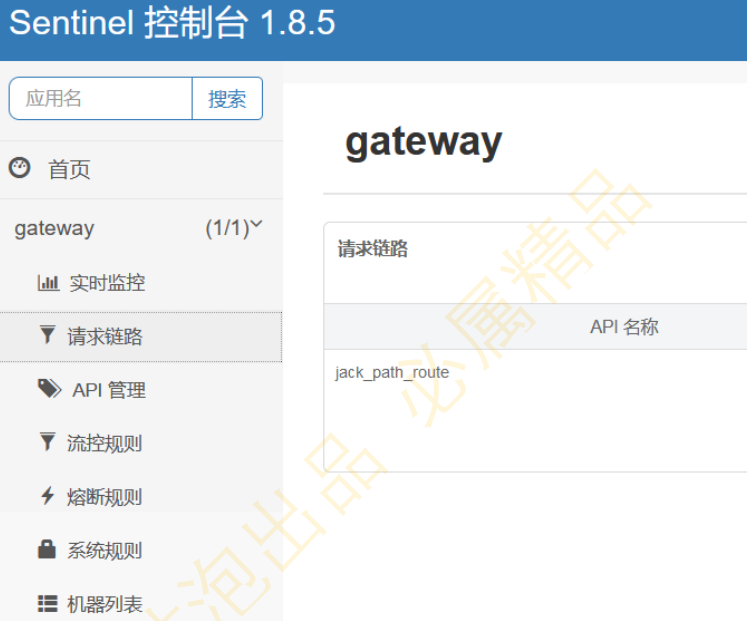
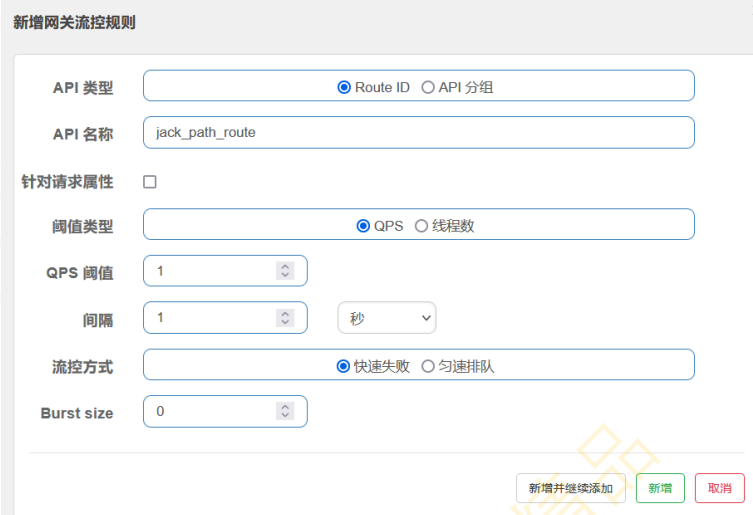
(6)route id微服务级别
就是相当于对jack_path_route这个route id对应的微服务进行限流,不管访问lb://order的哪个资 源,都会使用该限流规则
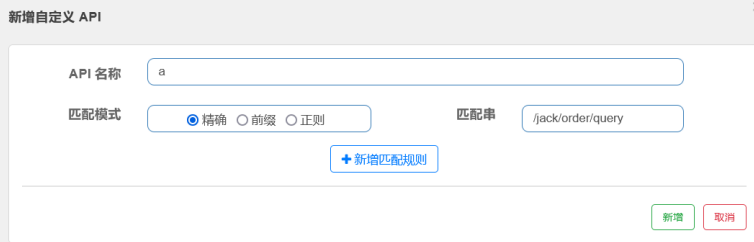
(7)API级别
1
2
| 精准匹配:
表示会对/jack/order/query这个指定的路径生效
|

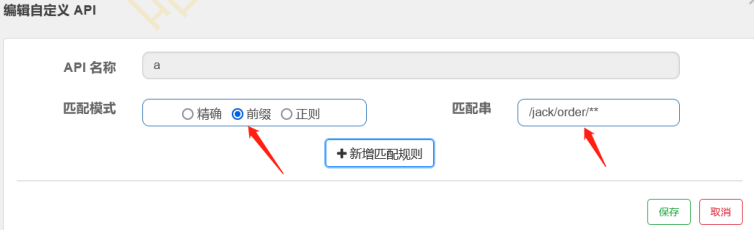
(8)URL参数:表示访问的url中必须有username才会生效
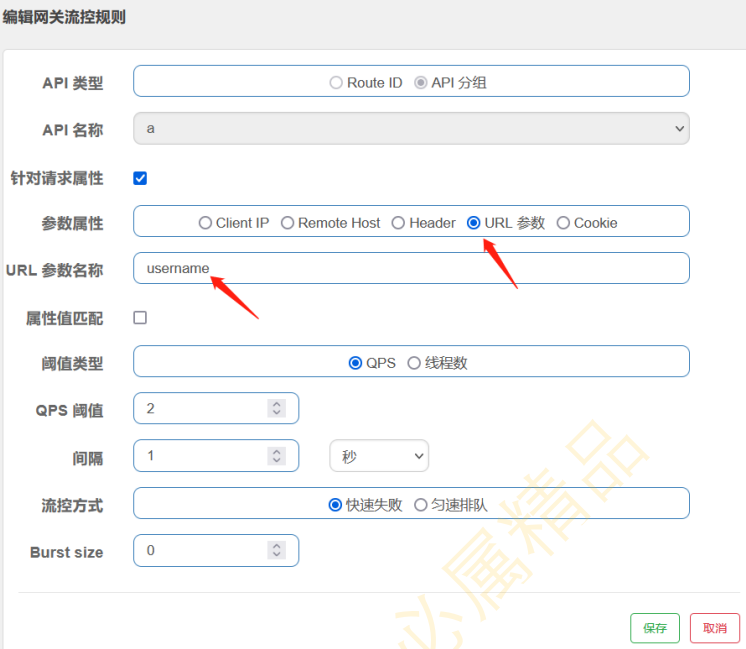
(9)自定义异常消息:使用yaml文件配置的方式
1
2
3
4
5
6
7
8
9
10
11
12
13
14
15
| spring:
application:
name: gateway
cloud:
nacos:
discovery:
server-addr: localhost:8848
sentinel:
transport:
dashboard: localhost:8080
scg:
fallback:
mode: response
response-status: 200
response-body: '{"code":200,"msg":"请求太多,一会再试试."}'
|
5 集群限流
https://sentinelguard.io/zh-cn/docs/cluster-flow-control.html